System Features
User Features
What Users Can Do
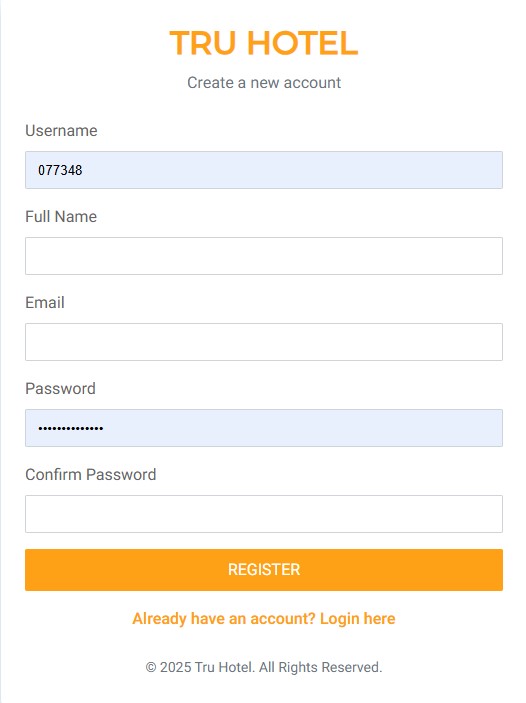
Register New Account
New users can sign up to access the full booking system.
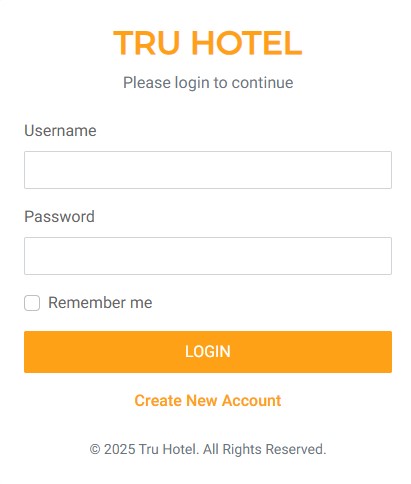
Login for Admin & Users
A shared login page is used for both admins and users. After login, the system automatically redirects users to their respective dashboards based on their role.
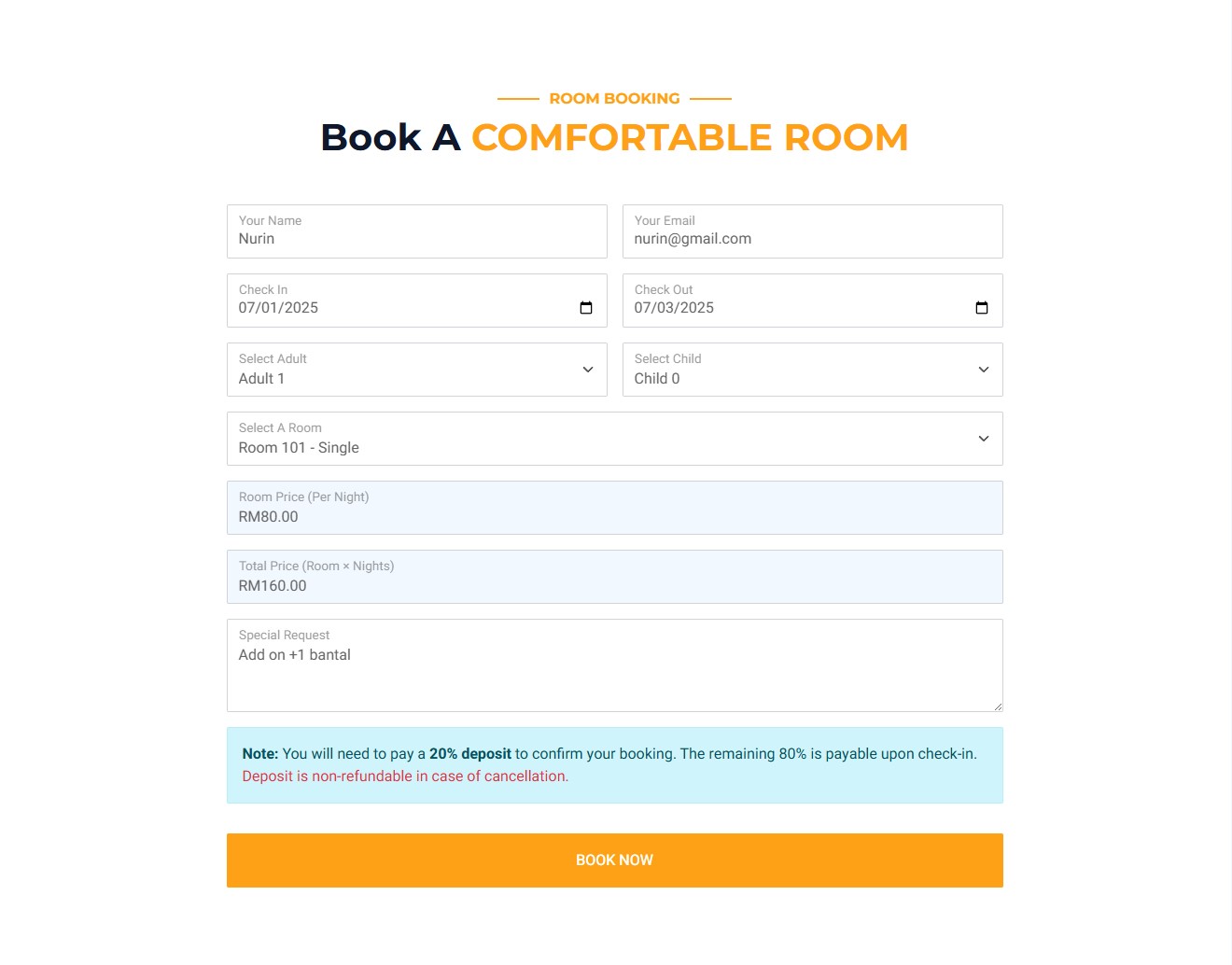
Room Booking
Users can view room availability, choose dates, and submit online bookings in real time.
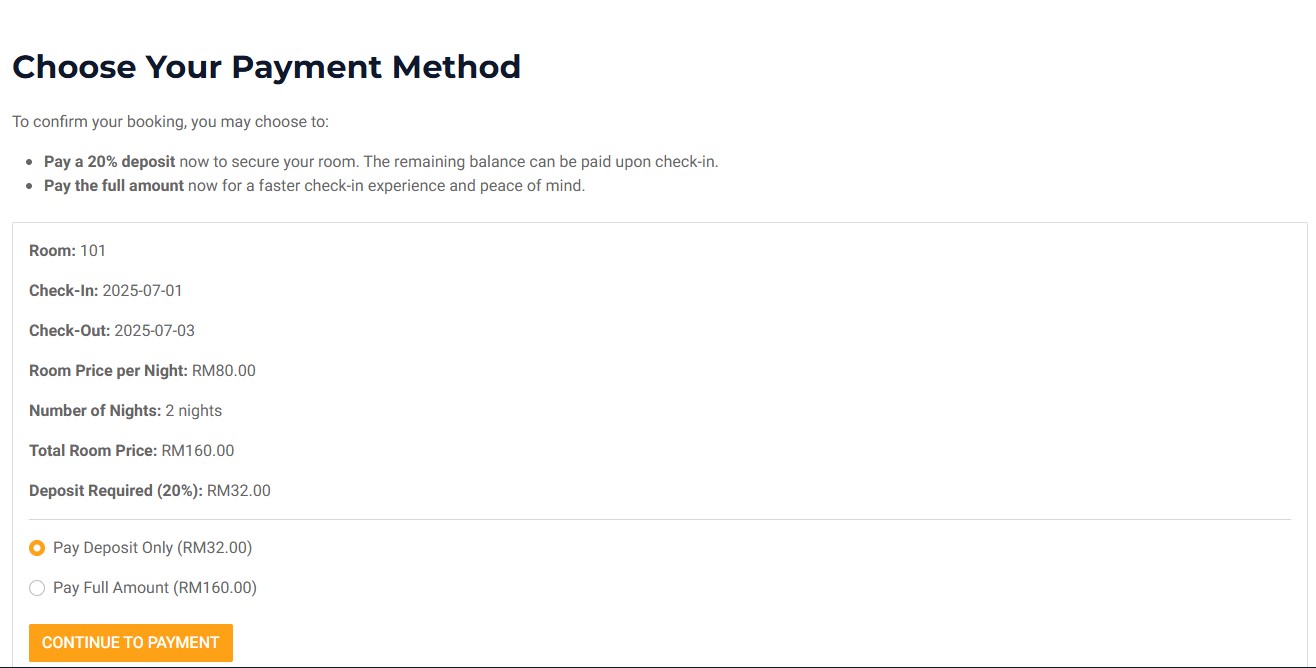
Payment Options
Users can choose to pay a 20% deposit or the full amount. Payment status is tracked and displayed in the dashboard.
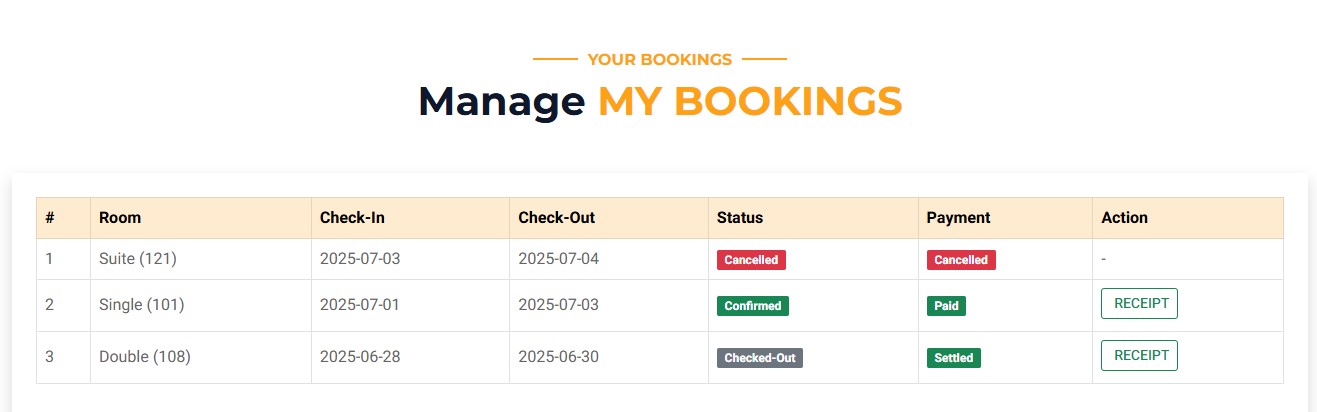
Booking History
View past bookings with full details, including payment and status.
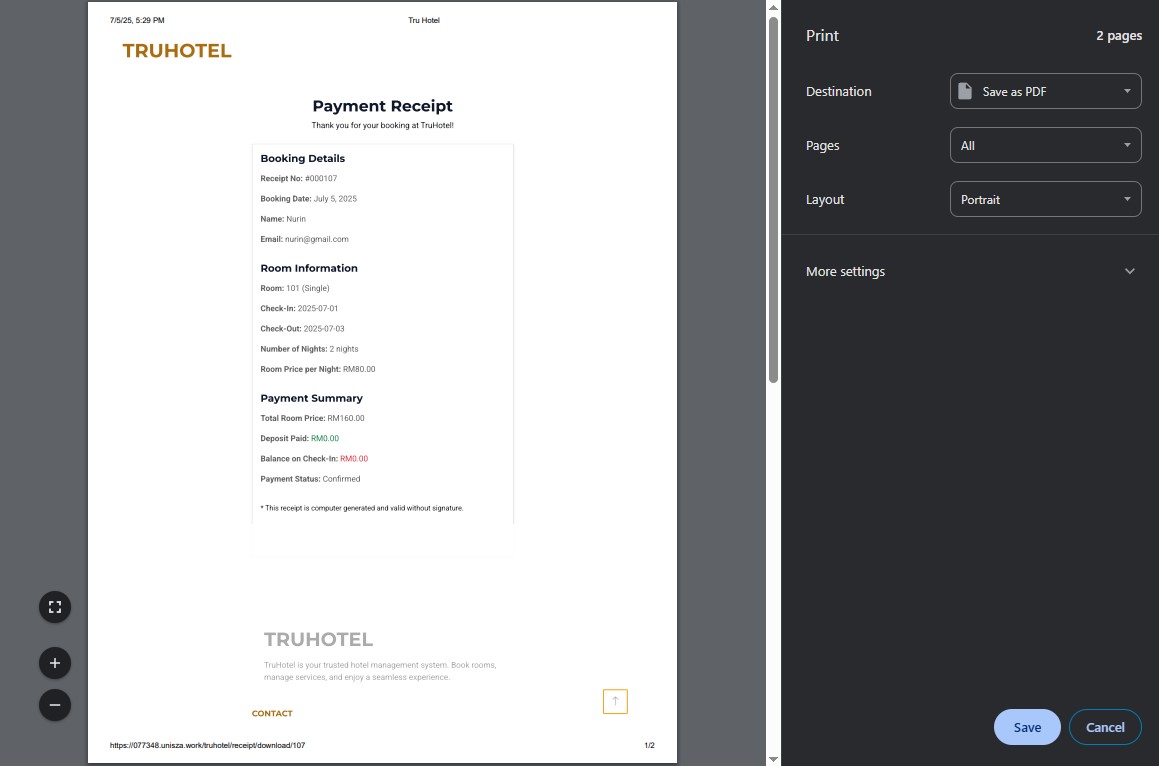
Download Receipt
Downloadable receipts are available for completed and confirmed bookings, with print-ready format.
Admin Features
What Admin Can Manage
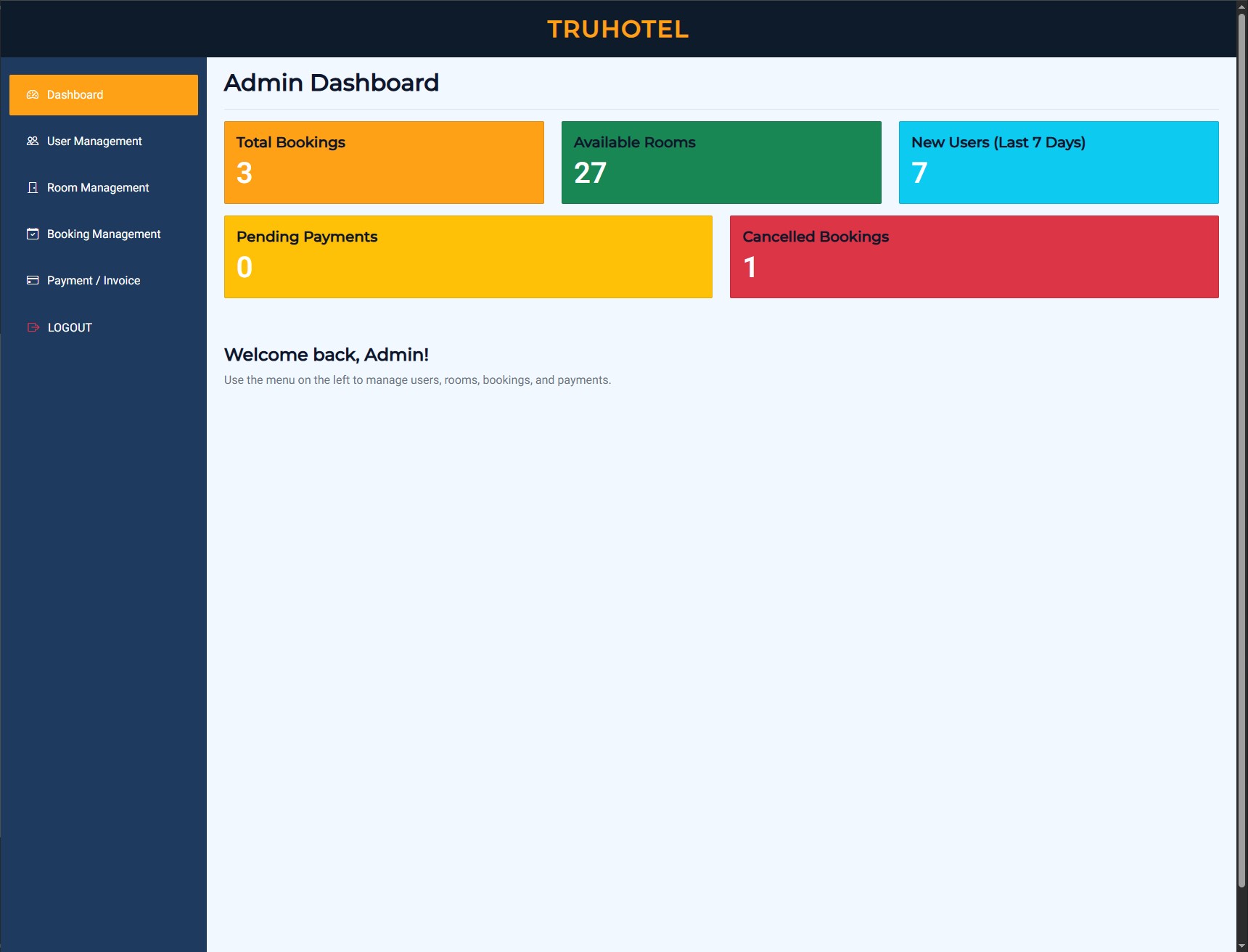
Admin Dashboard
View system stats, latest bookings, payment summaries, and more.
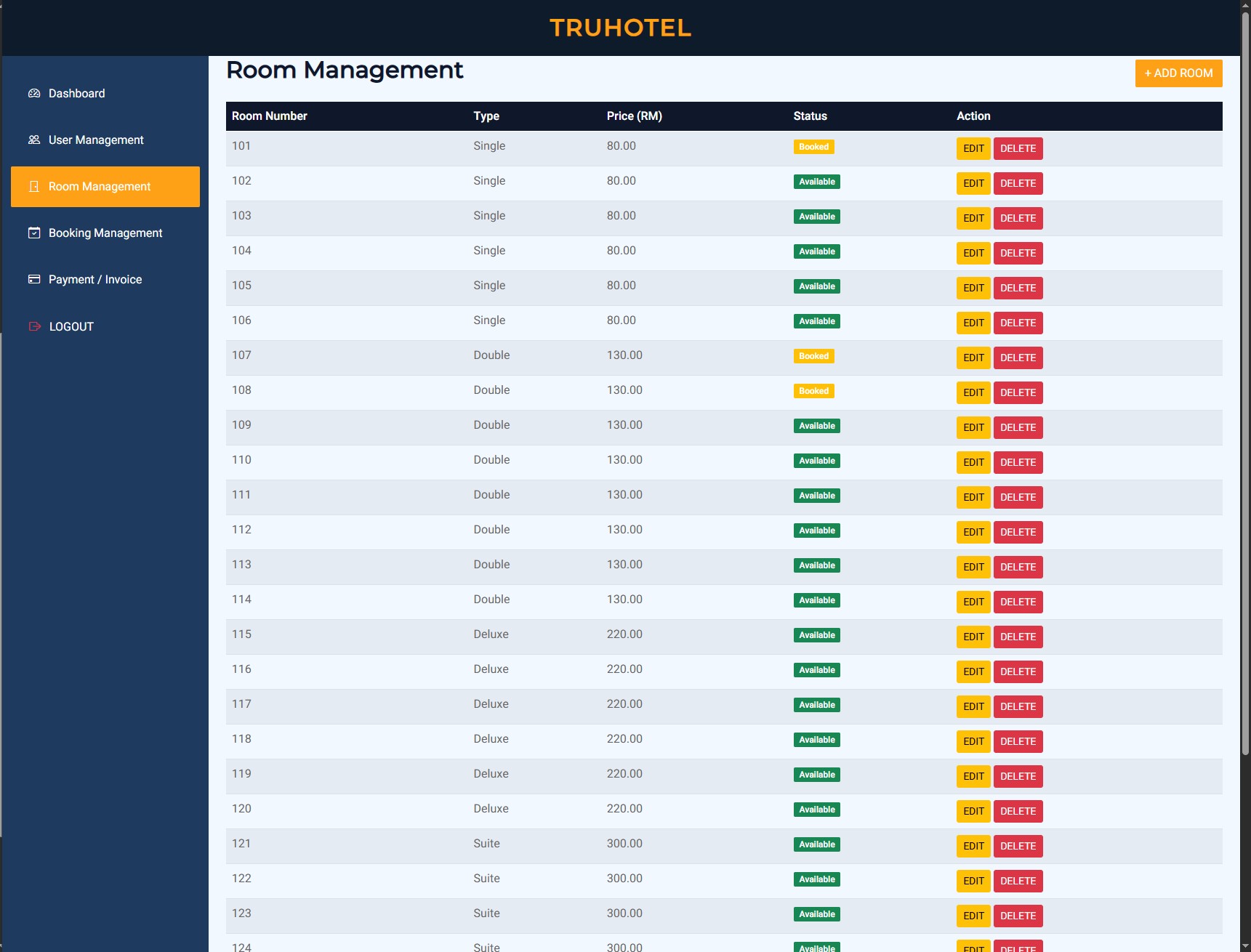
Room Management
Add, update, or deactivate rooms and control room availability & prices.
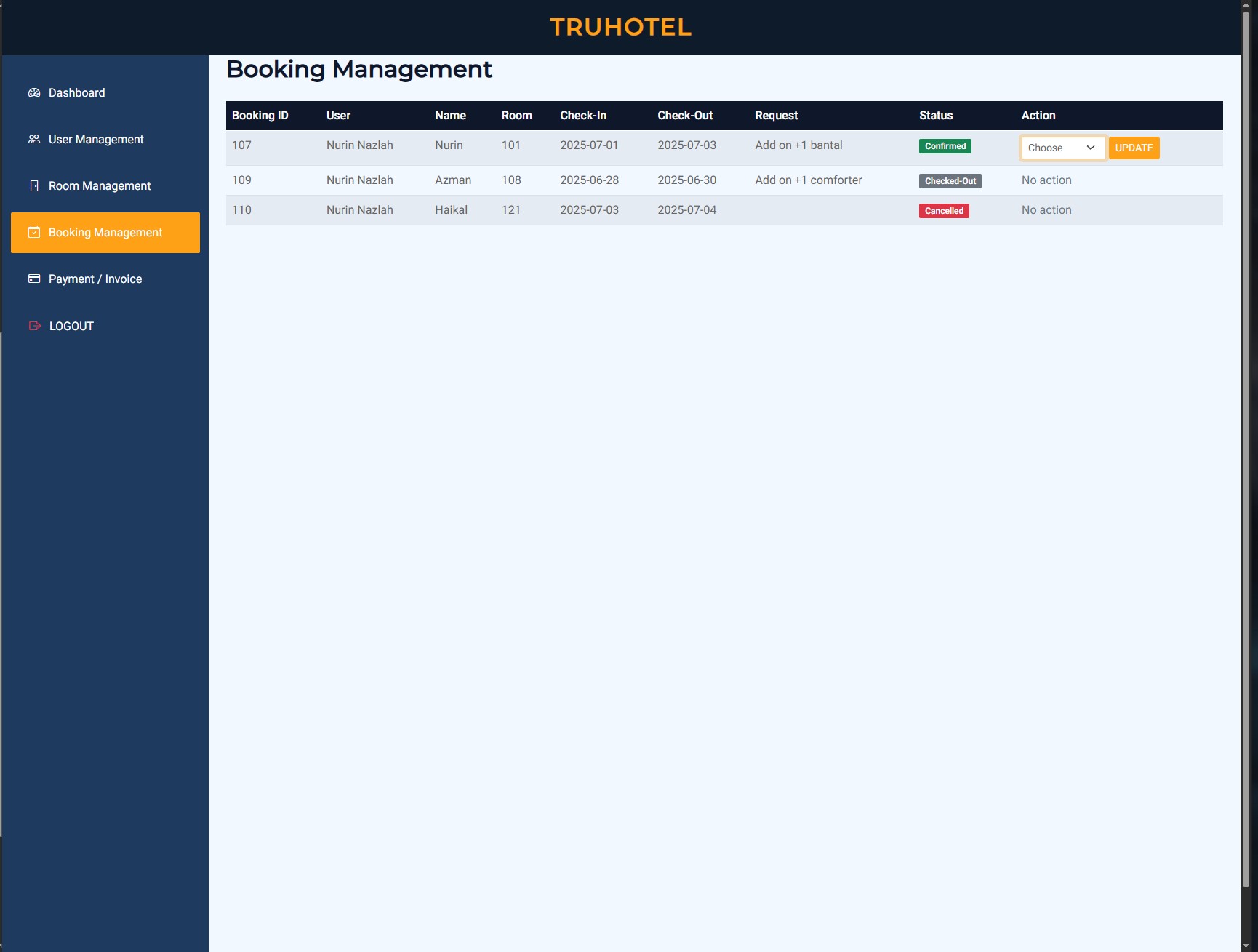
Booking Management
View all user bookings and manage booking statuses, including Confirmed, Checked-in, Checked-out, or Cancelled.
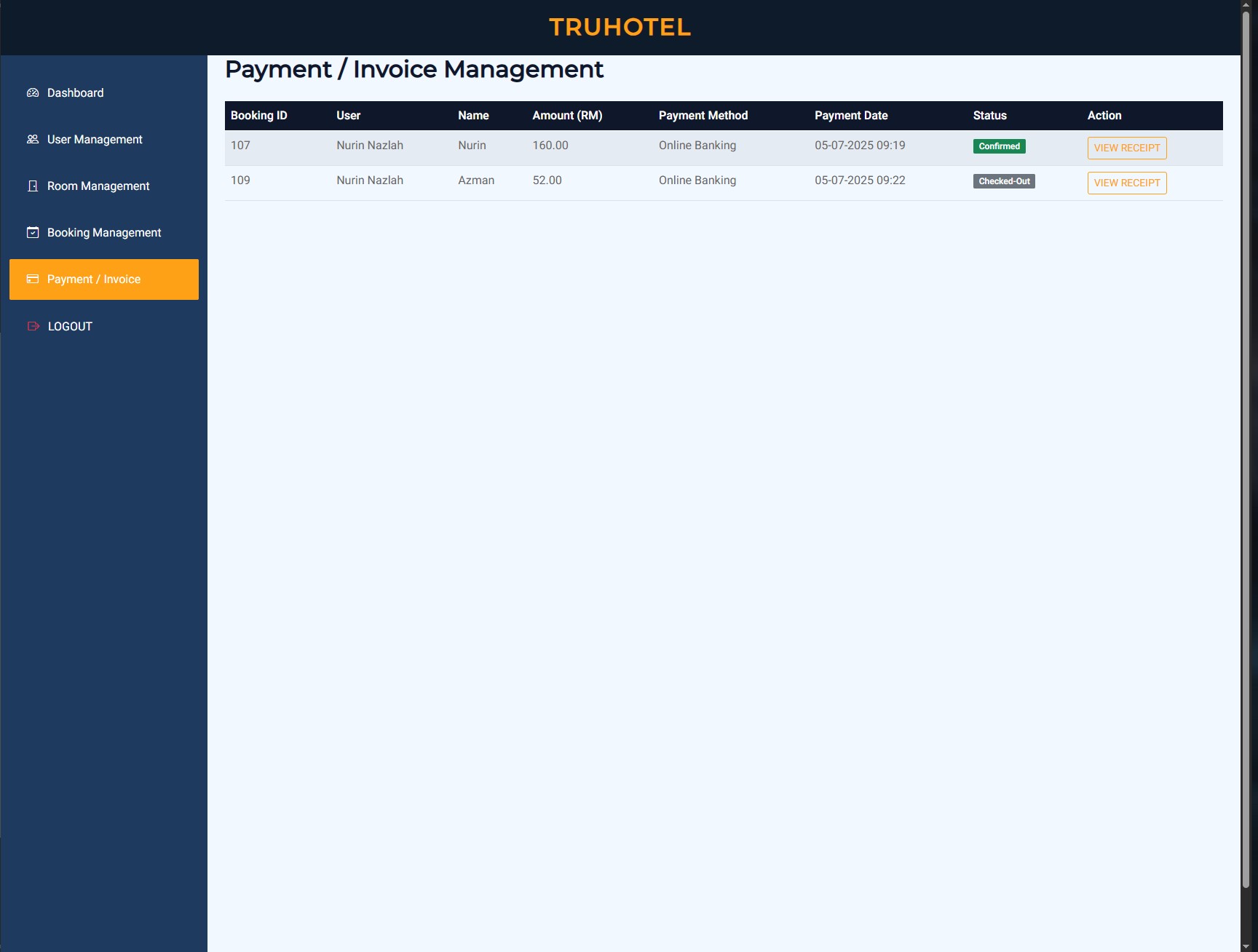
Payment & Invoice
Verify user payments, confirm deposit or full payment, and generate receipts.
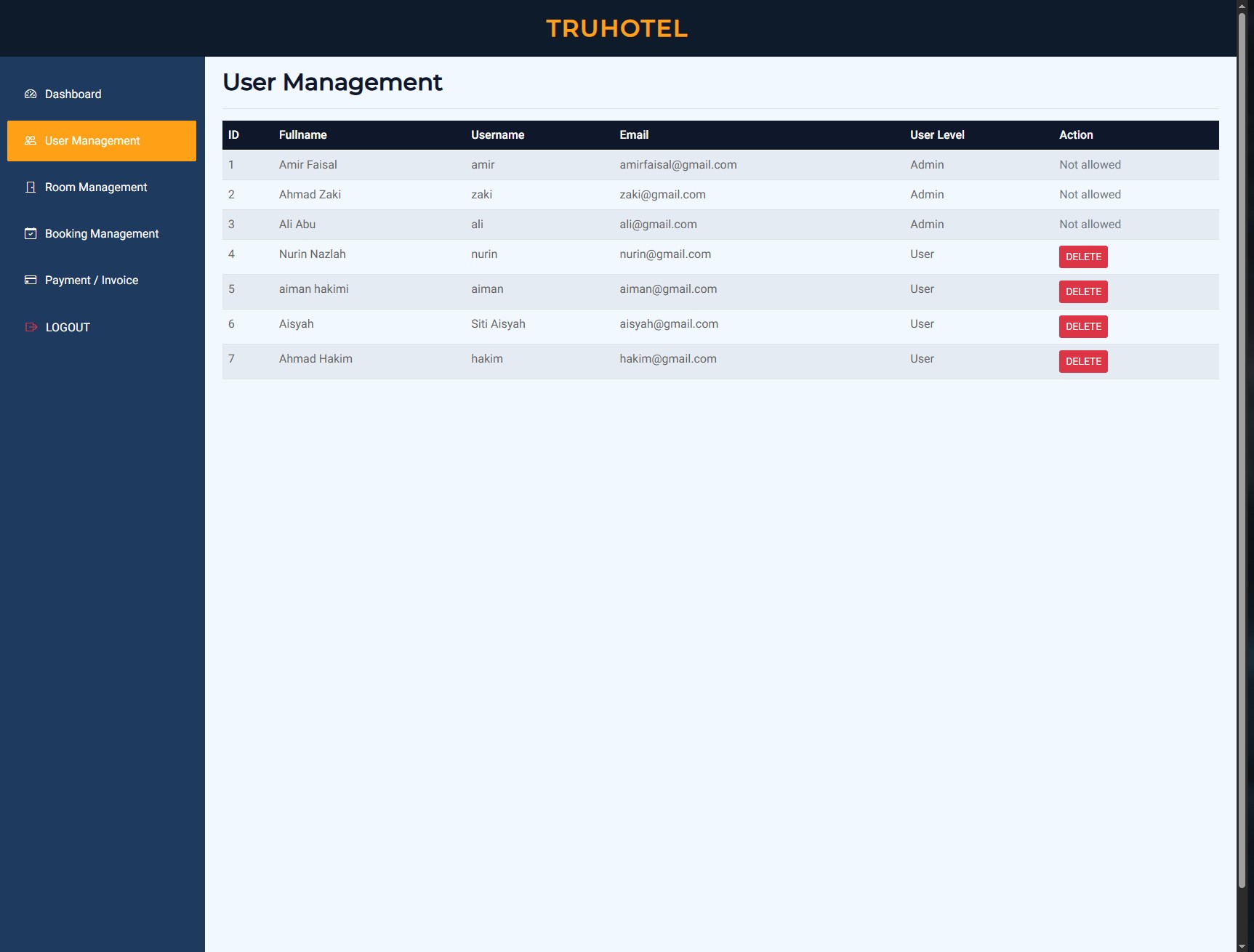
User Management
Manage all user accounts, view user info, and revoke access if needed.
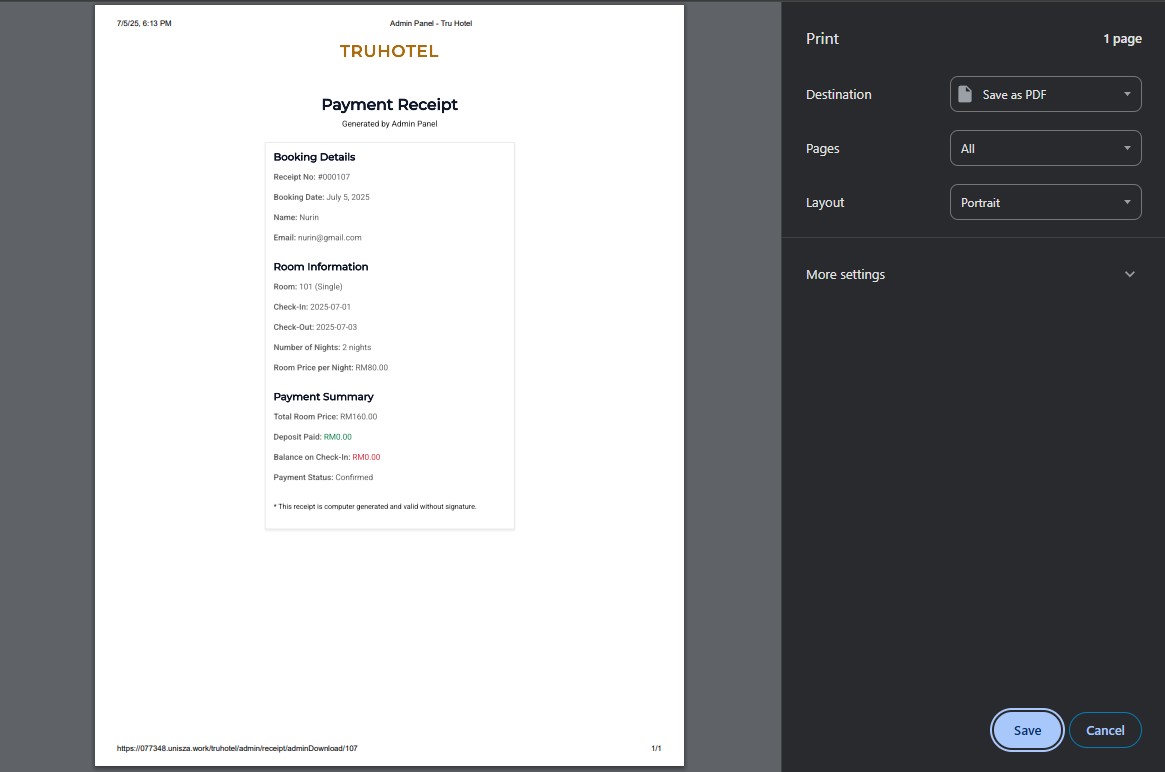
Download Receipt
View and download official receipts for all user payments directly from the admin panel.